
Mentee guide
How to get a free mentor through Kokani Connect, book time with them and make the most of each meeting.
The short version
- Mentoring is free. Experienced Kokani professionals give their time to help you. Nobody should ask you for money.
- Tell us what you need; our team finds a mentor who fits and introduces you on Kokani Connect.
- You book a time from your mentor’s free times and join online with one click.
- Your contact details stay private. Everything happens on Kokani Connect.
1Ask for a mentor
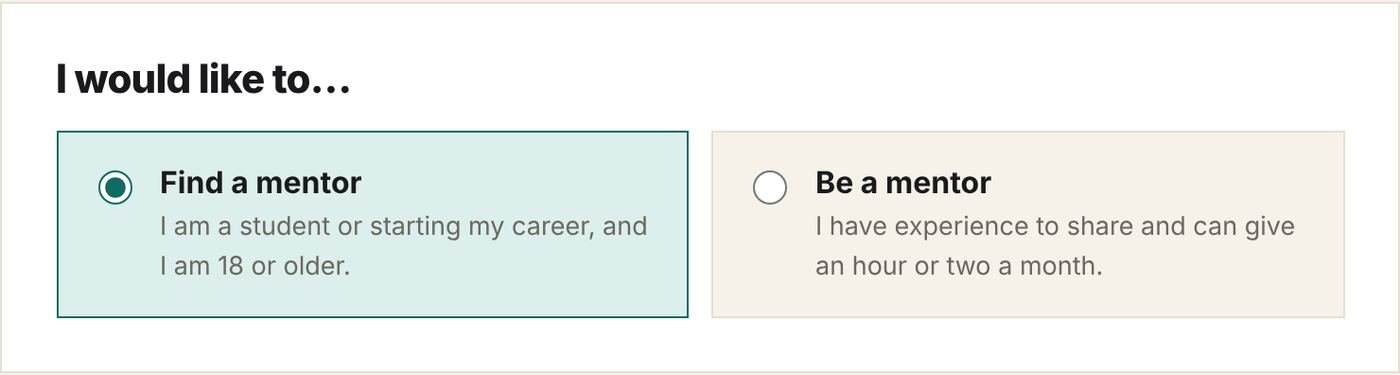
Mentorship is for people aged 18 or older: students, graduates looking for a first job, people early in their career or changing career.
- Sign in (or create a free account), open Mentorship & youth and choose Find a mentor.
- Fill in About you: country, city or village, your field and the languages you are comfortable in.
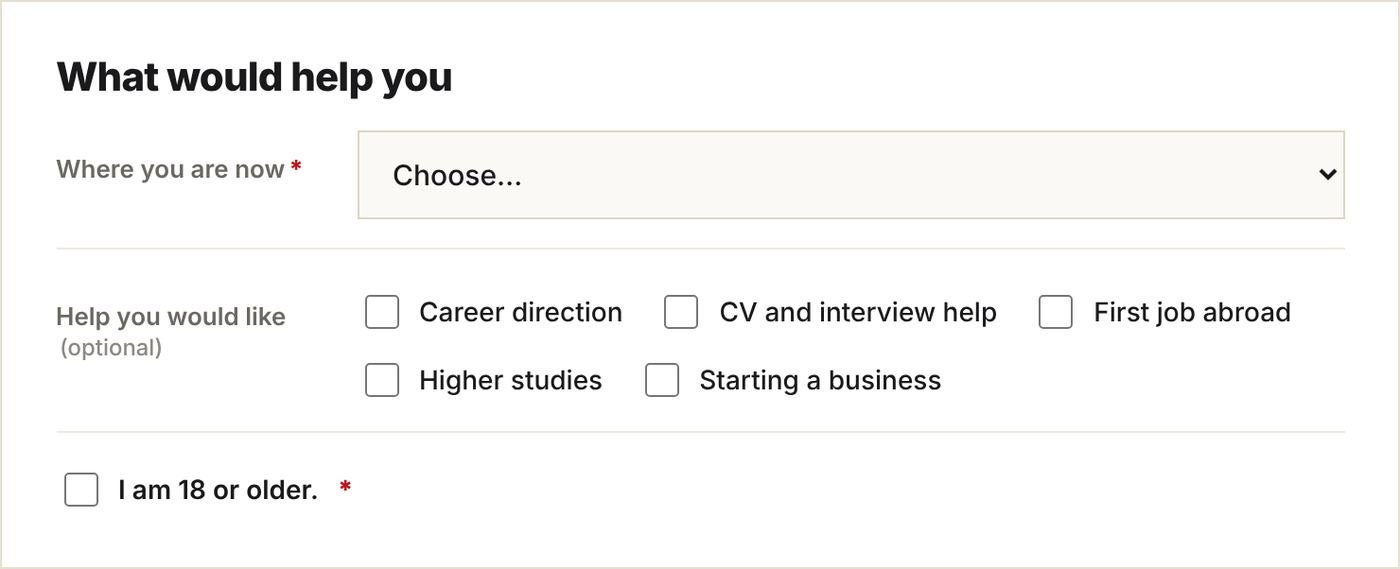
- In What would help you, say where you are now and the help you would like: career direction, CV and interview help, first job abroad, higher studies or starting a business.
- Tick that you are 18 or older, add anything else we should know, agree to meet only through Kokani Connect, and click Send.
Tip. The more you tell us in “Anything else we should know?”, the better the match. For example: “I finished my B.Com and want to work in accounting in the Gulf.”
2While we find your mentor
Our team reads every sign-up. Your status is in My mentoring (in the account menu):

When we find a good fit, we ask the mentor and you see:

We email you when they accept. If they can’t, we look for someone else.
3Meet your mentor
Once your mentor accepts, My mentoring shows Your mentor: their first name, role and background, matched by Kokani Connect.
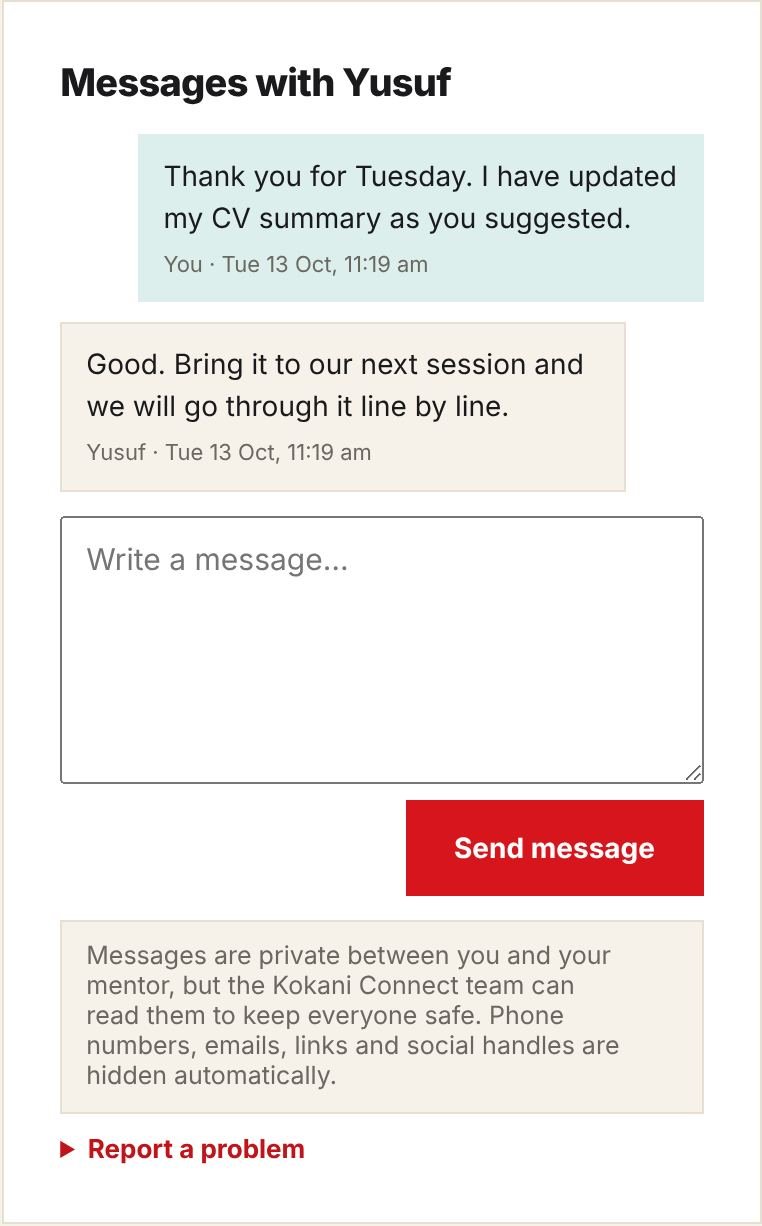
Say hello in messages and tell them what you hope to get from mentoring.
4Book a meeting time
- Under …’s available times, pick a time that suits you. Times are shown in your time zone.
- Click Ask for this time. Your mentor confirms it; we email you.
- You can have one session booked or waiting at a time. To choose another time, cancel the request first.
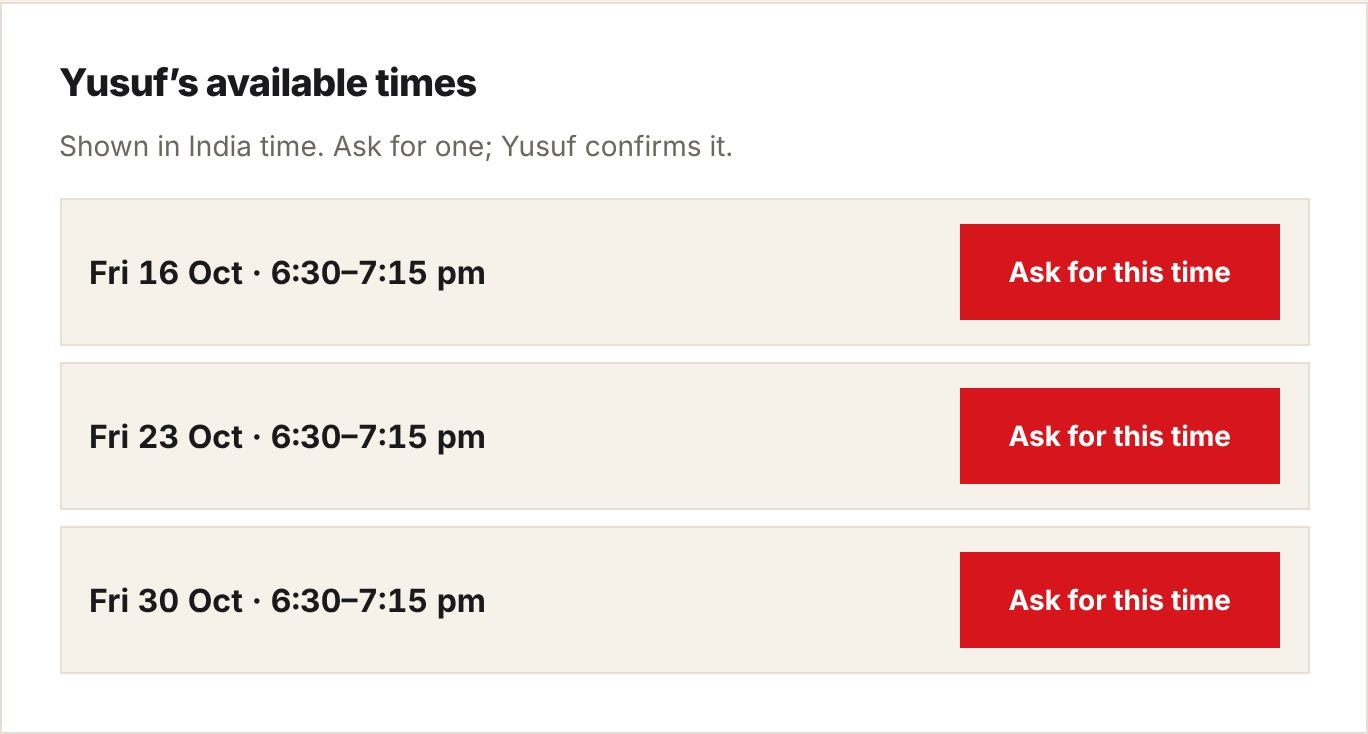
No times listed? Send your mentor a message to ask when suits them.
5Join your session
We remind you 24 hours and 1 hour before. Join session appears in My mentoring 10 minutes before the start and opens your mentor’s meeting (Zoom, Google Meet, Teams…).
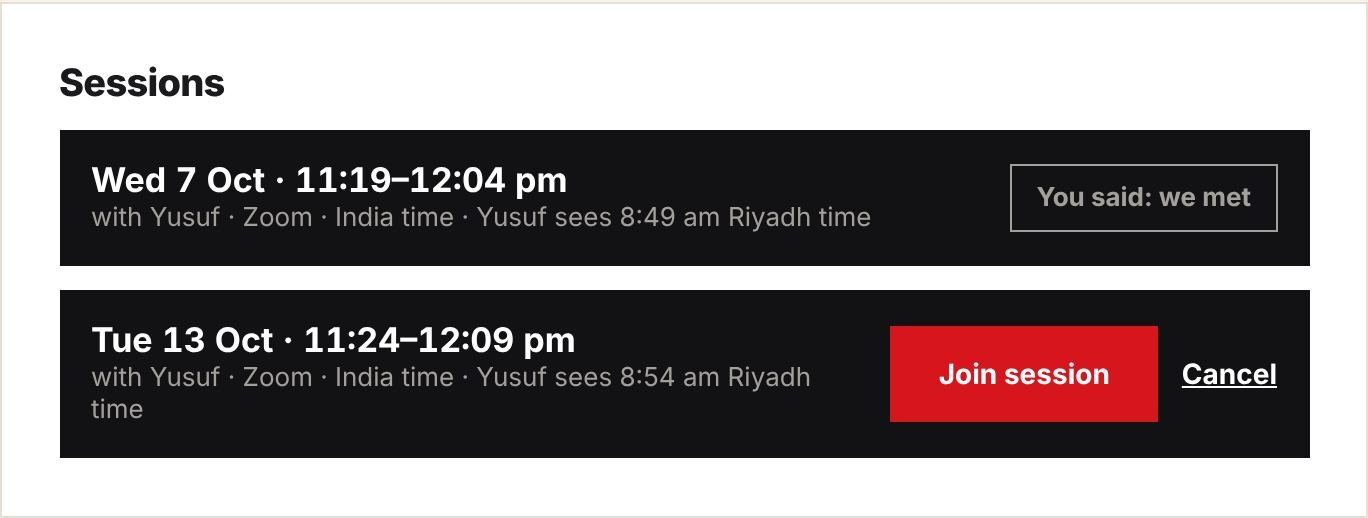
- Can’t make it? Click Cancel a few hours before, so your mentor knows.
- The day after, tick We met or We didn’t meet, so our team knows how it is going.
6Make the most of it
- Before each session, write down two or three questions, and send any CV or plan a day ahead in messages.
- Be on time, with a quiet place and a working camera.
- Take notes, and after the session try the next steps you agreed.
- Tell your mentor what worked. A short “thank you” message means a lot.
- Your mentor is a volunteer: respect their time, and cancel early if you must.
7Messages and safety
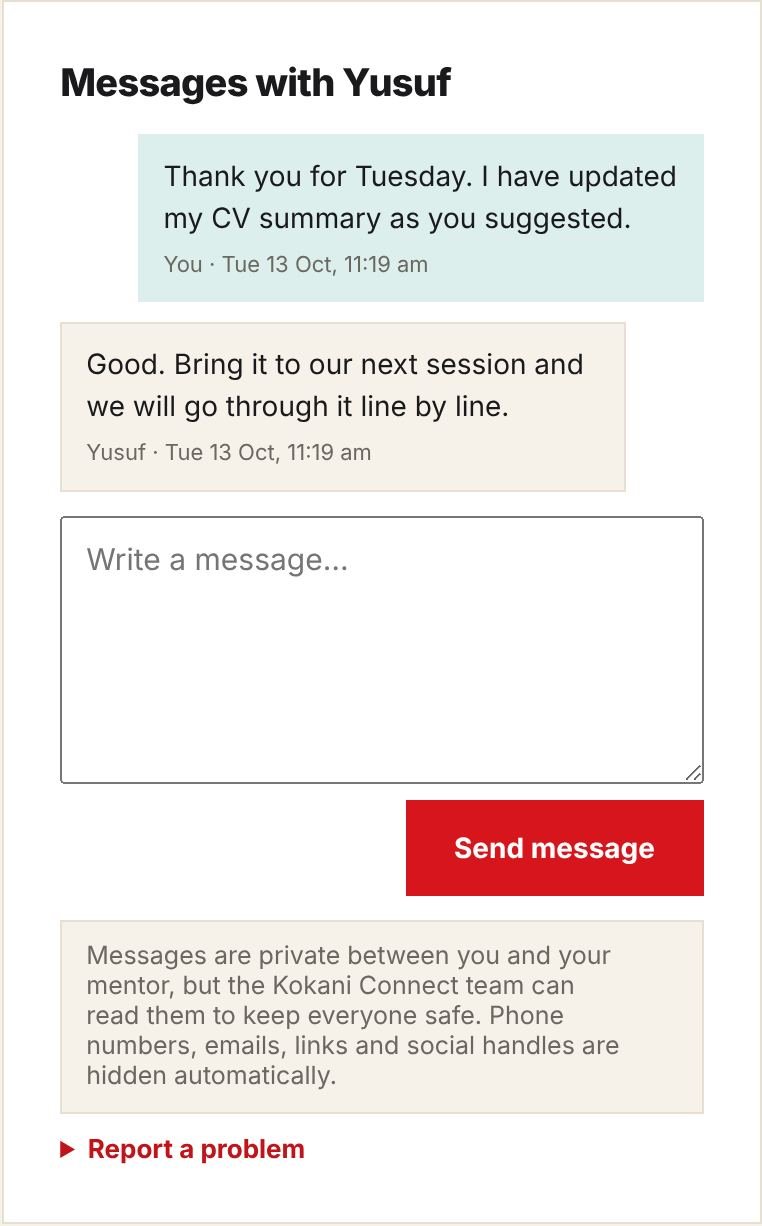
- Phone numbers, emails, links and social handles are hidden automatically. Please don’t share them.
- Our team can read messages to keep everyone safe.
- If anything makes you uncomfortable, use Report a problem or email info@kokaniconnect.com. We act quickly.
8Questions
- How long does it take to find a mentor?
- It depends on your field and languages; usually a few weeks. We email you as soon as we find someone.
- Can I change mentor?
- Yes. Email us and tell us why; we will look for someone else.
- What happens when the mentoring is finished?
- Our team marks it finished. You can sign up again any time, for new help.
- I am under 18. Can I get a mentor?
- Not yet. You can learn with a teacher instead: a parent books for you. See the Learner & parent guide.
Still need help? Email info@kokaniconnect.com or use the Contact page. We reply within 2 working days.