
Learner & parent guide
How to find a Kokani teacher, book a free intro, pay for classes, join sessions and follow progress, for yourself or for your child.
The short version
- Your first 20-minute intro with each teacher is free. Use it to talk about goals, level and topics.
- You pay only if you accept the teacher’s learning plan, and you see the full price first.
- Cancel or move a session for free up to 24 hours before it starts.
- Unused sessions are refunded. If the teacher misses a session, you get it back.
- Everything stays on Kokani Connect: messages, joining and payment. Teachers never see your phone number or email.
1Before you start
- You need a free Kokani Connect account. You must be 18 or over.
- Booking for a child? Use your own account as the parent or guardian. Only your child’s first name is used, and you can read every message with the teacher. For young children, please stay nearby during sessions.
- For online classes you need a phone, tablet or computer with a camera, a microphone and a good internet connection.
2Find a teacher
Open Find a teacher (under Learn in the menu). Search by subject or skill and filter by level, language, price, “Free this week” and “4★ and above”.

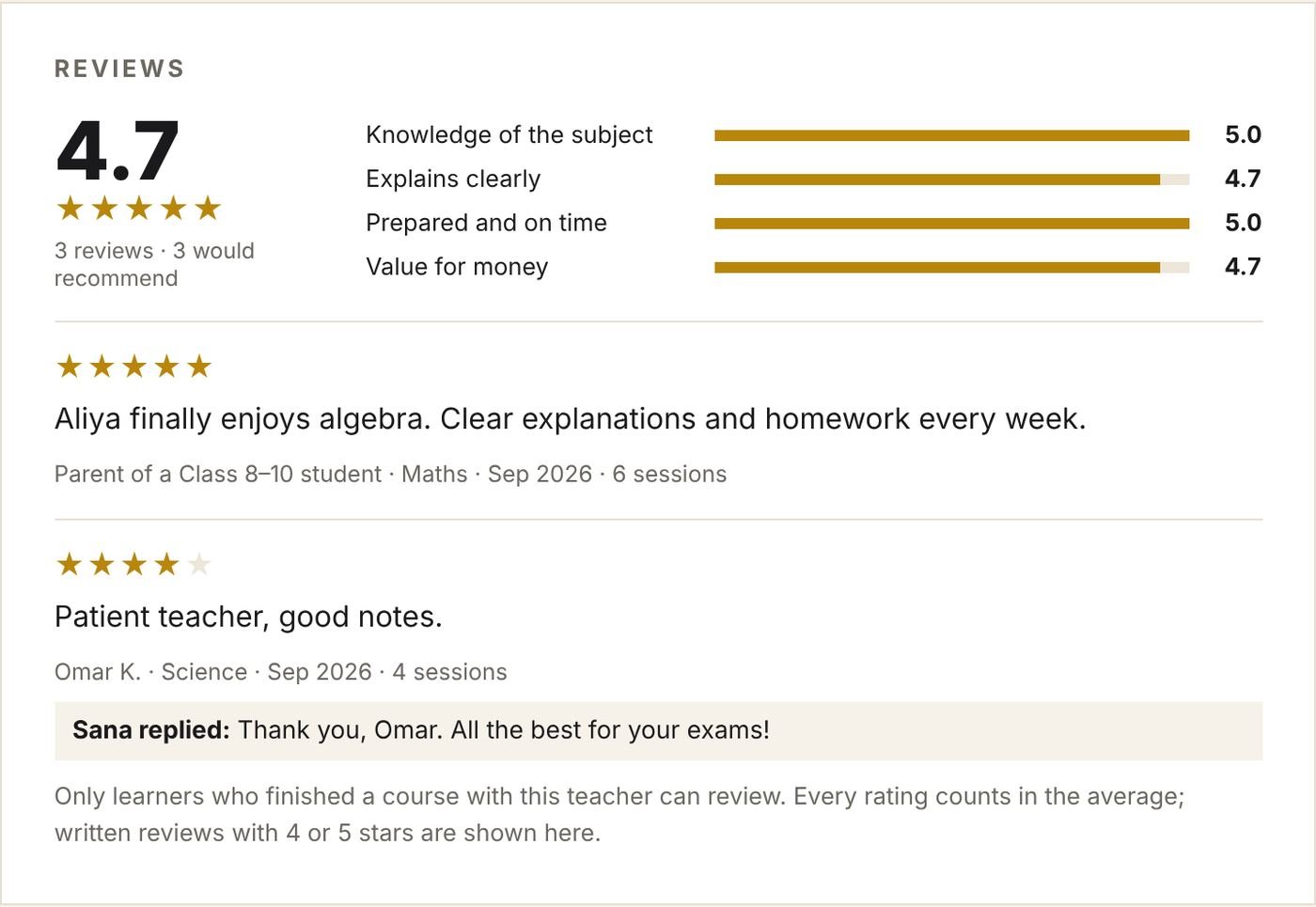
Open a teacher’s profile to see their subjects and prices, intro video, reviews and free times. Teachers with fewer than 3 reviews show as “New teacher”.
3Book a free intro
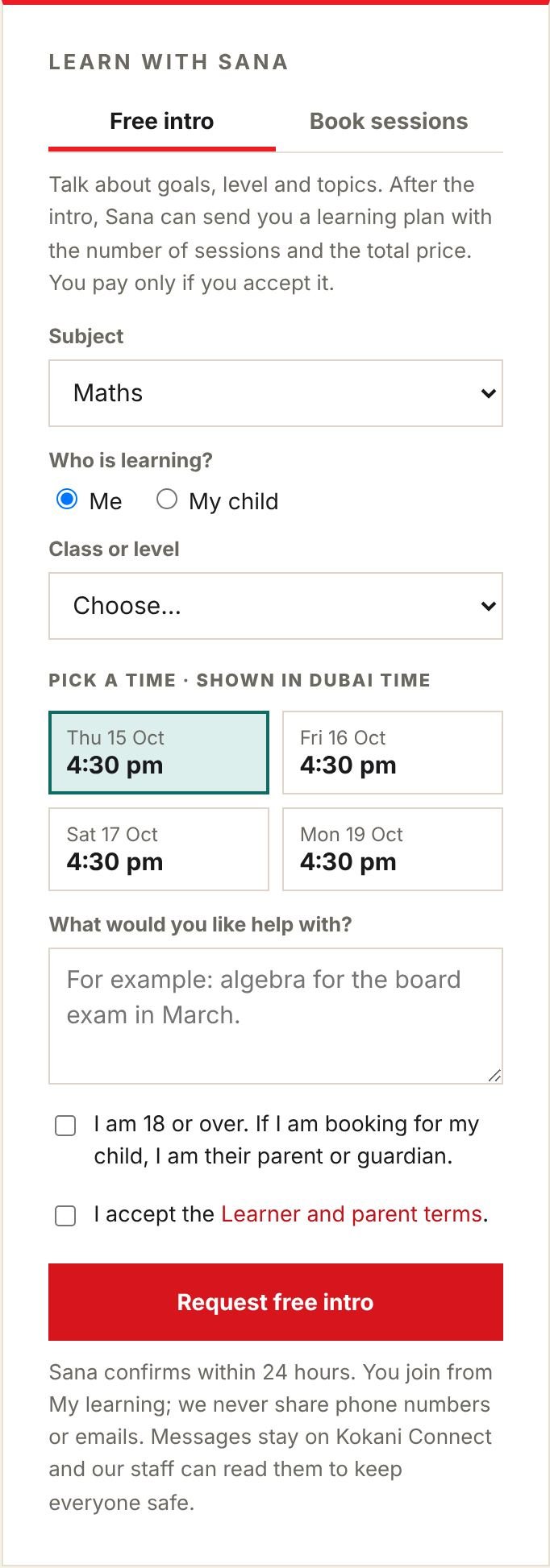
On the teacher’s profile, in Learn with …, stay on the Free intro tab:
- Choose the subject.
- Choose who is learning: Me, or My child (type your child’s first name only).
- Choose the class or level and pick a time. Times are shown in your own time zone.
- Write what you would like help with, tick the two boxes and click Request free intro.
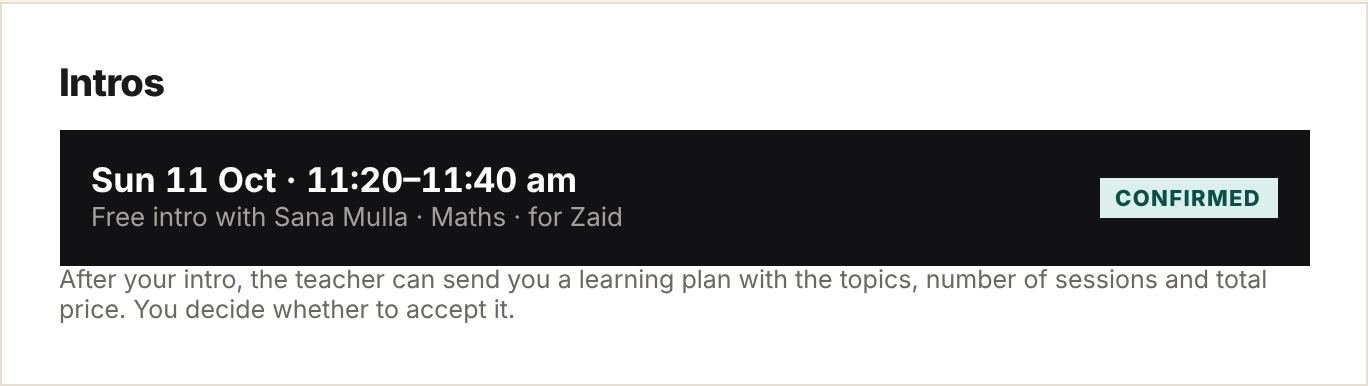
The teacher confirms within 24 hours; we email you. Your intro appears in My learning. The intro is free, and you get one with each teacher.
4Your learning plan
After the intro, the teacher may send you a learning plan: the topics, number of sessions, session length and total price. You get an email, and the plan appears at the top of My learning.
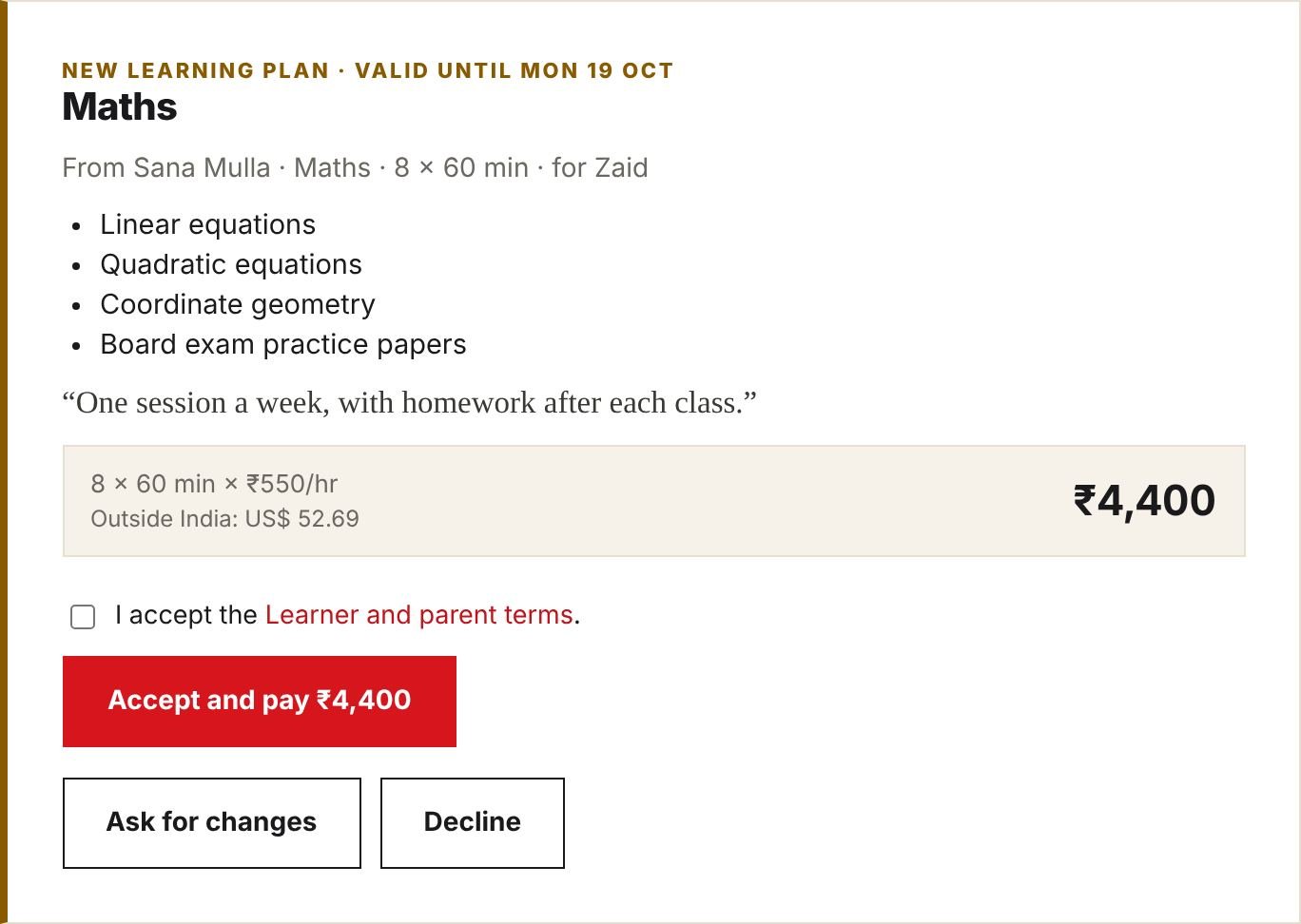
- Accept and pay if it suits you. Tick that you accept the Learner and parent terms first.
- Ask for changes opens your messages with the teacher. They can send a new version.
- Decline if you don’t want to go ahead. Nothing is charged.
- A plan is valid for 7 days.
5Paying
- You pay the whole plan in advance, at our secure checkout: in Indian rupees by Razorpay in India, or in US dollars by PayPal elsewhere, at our published rate.
- The price you see is the price you pay. Kokani Connect’s service charge comes from the teacher’s side.
- We hold your payment and pay the teacher only after the course is complete.
- Never pay a teacher outside Kokani Connect; we cannot protect or refund payments made outside.
6Book your sessions
Once you have paid, your plan card in My learning shows how many sessions are left to book, and the teacher’s free times. Click Book this time for each session. Times must be at least 24 hours ahead and are confirmed straight away.
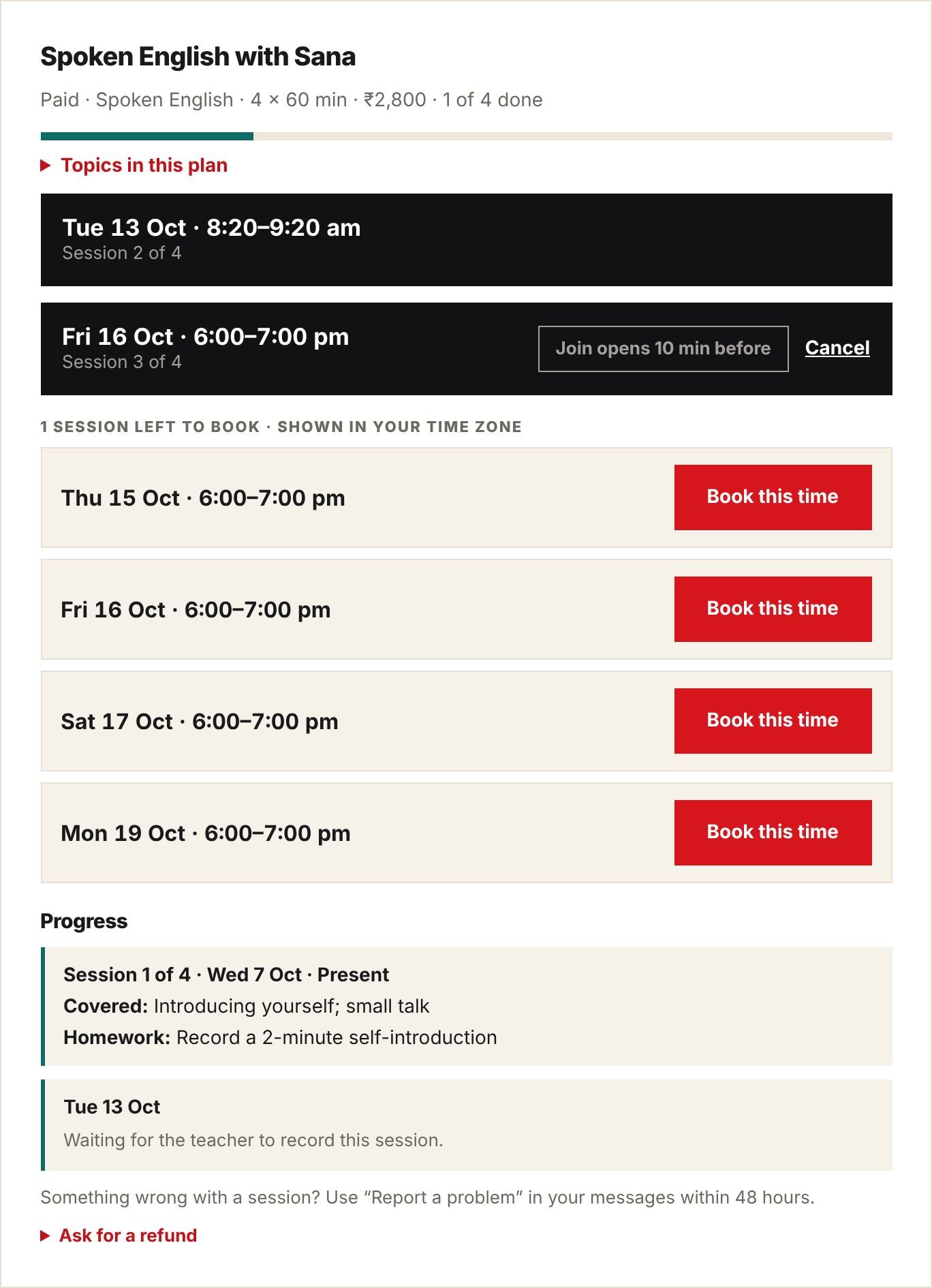
No time suits you? Send the teacher a message and ask them to add more.
7Already know the teacher? Book directly
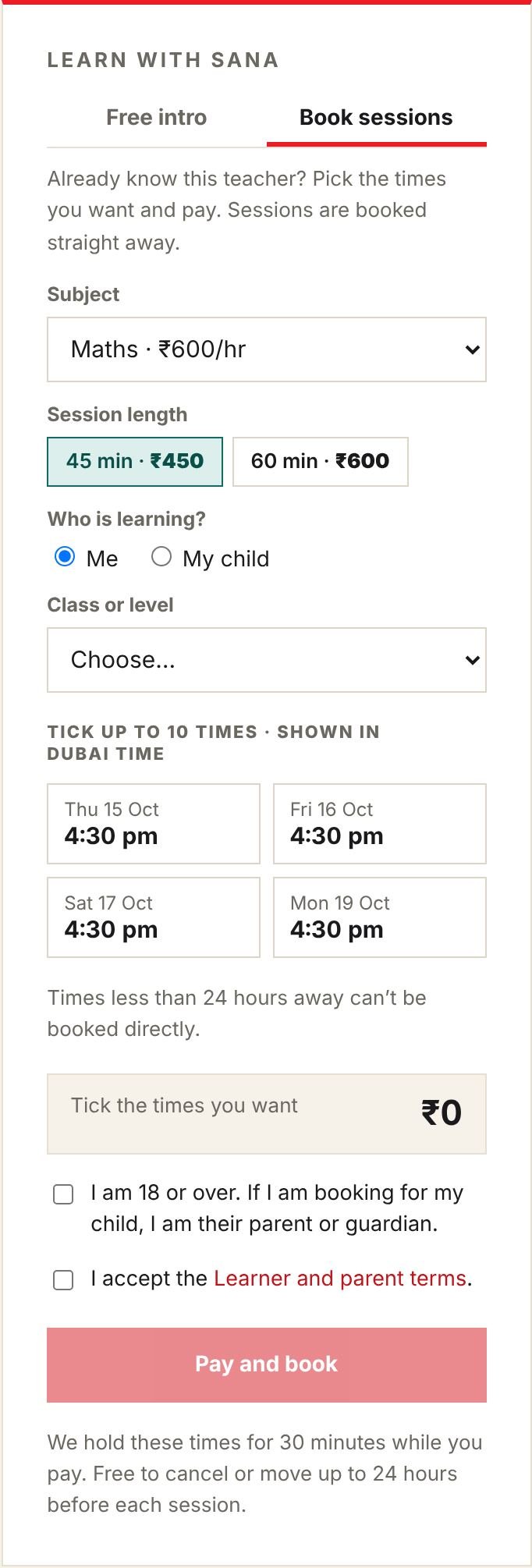
Many teachers let you skip the intro. On their profile, open the Book sessions tab, choose the subject and session length, tick up to 10 times (at least 24 hours ahead), and click Pay and book. We hold the times for 30 minutes while you pay; the sessions are confirmed as soon as you have paid.
8Join a session
- Open My learning a few minutes before the start.
- The Join button appears 10 minutes before. It opens the teacher’s Zoom, Google Meet or Microsoft Teams meeting.
- Be on time. If you don’t join within 15 minutes, the session counts as taken.
After each session the teacher records attendance, the topics covered, homework and any materials. You see them under Progress on your plan.
9Cancel or move a session
| When | What happens |
|---|---|
| 24 hours or more before | Free. Click Cancel next to the session; it goes back to your plan and you can book another time. |
| Less than 24 hours before, or you don’t join | The session counts as taken. |
| The teacher cancels or doesn’t join | You get the session back to book again, or a refund for it. |
10Refunds
- Before your first paid session: full refund.
- After the course has started: refund for the sessions not yet taken.
- Open Ask for a refund on your plan card in My learning and tell us why. Our team replies by email, usually within 2 working days.
- Refunds go back the way you paid, in the same currency, within 7–10 working days.
11Messages and safety
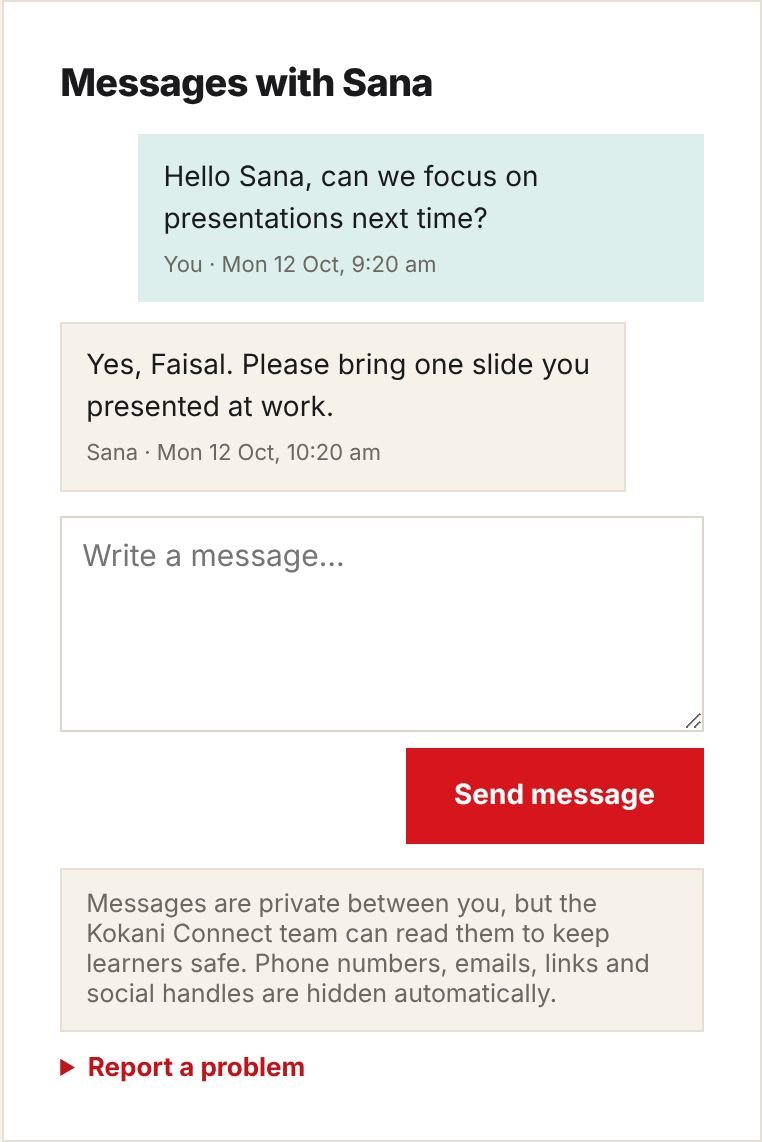
- Message your teacher from My learning. Phone numbers, emails, links and social handles are hidden automatically.
- Our team can read messages to keep learners safe.
- Sessions may not be recorded unless both sides agree in messages.
- Something went wrong in a session, or something worries you? Use Report a problem within 48 hours, or email info@kokaniconnect.com.
12Rate your teacher
When the course is complete we email you and show a rating card in My learning. Rate four areas and overall, say whether you would recommend the teacher, and add a review if you like. You can change it for 30 days.
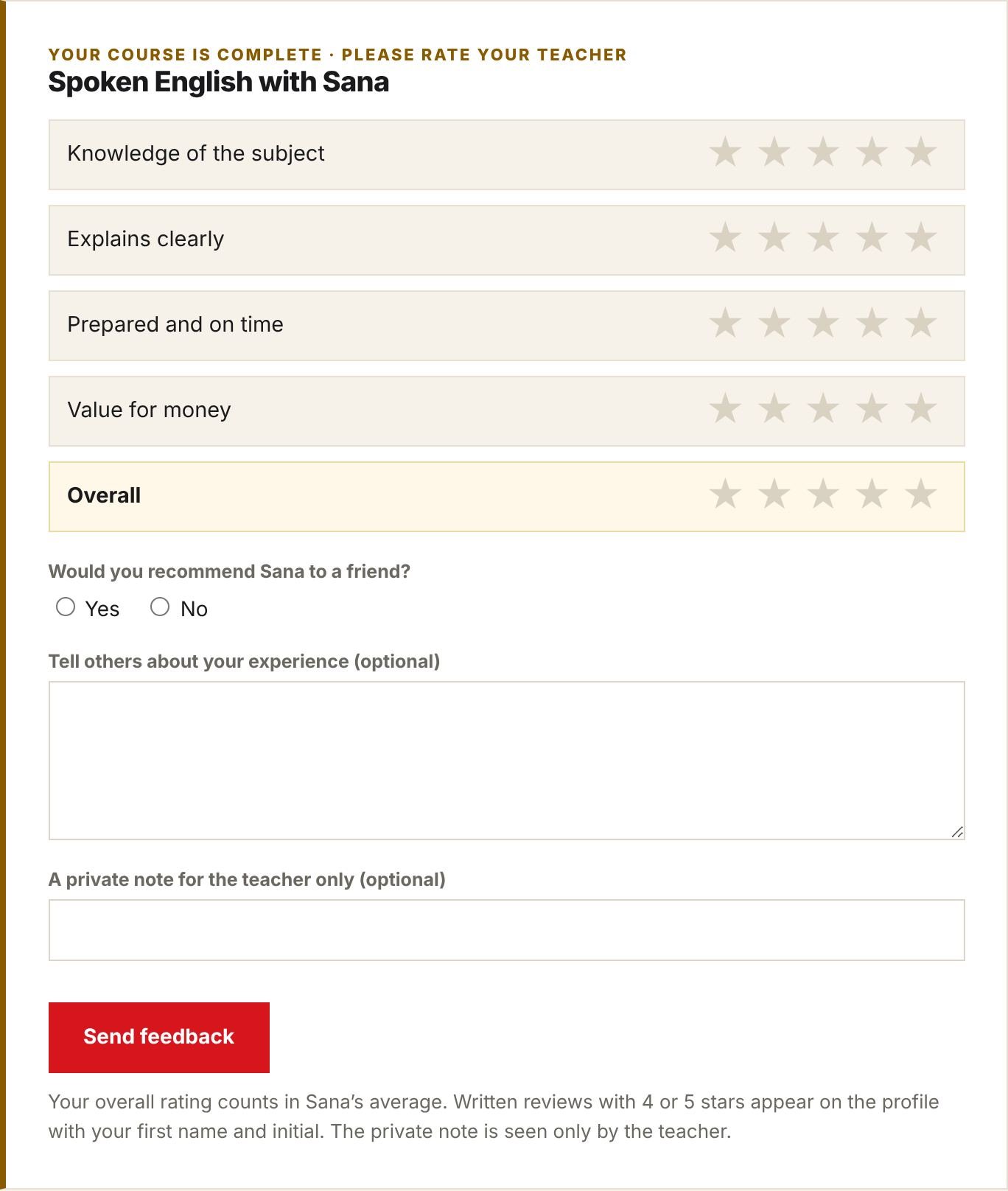
- Every rating counts in the teacher’s average.
- Written reviews with 4 or 5 stars appear on the profile with your first name and last initial. For a child’s course it says “Parent of a Class … student”; your child’s name never appears.
- The private note is seen only by the teacher.
13Questions
- Can I have intros with more than one teacher?
- Yes. You get one free intro with each teacher.
- Can I book for two children?
- Yes. Book a separate intro or plan for each child, from your own account.
- Which time zone are times shown in?
- Yours. You can change it at the bottom of My learning.
- The teacher hasn’t confirmed my intro.
- We remind them after 12 hours. If they don’t confirm before the time, the request is cancelled and we email you so you can choose another time or teacher.
- Can I get an invoice?
- Your order confirmation email is your receipt. For anything else, contact us.
Still need help? Email info@kokaniconnect.com or use the Contact page. We reply within 2 working days.