
When a recruiter contacts you
For members with a published profile: how recruiter requests work, how to accept or decline, choose who can reach you, and report a recruiter.
The short version
- Only recruiters checked by our team can contact members through Kokani Connect.
- Your email and phone stay hidden until you accept a request, or until a paid recruiter unlocks them, if you allow that.
- You choose: let paid recruiters unlock your details, or ask to be asked first. You can also hide your profile from particular companies.
- A real recruiter never asks you for money. If one does, report them. We act quickly.
1When a recruiter sends you a request
We email you with the role, the recruiter’s message and, if they gave one, the salary range. Open My profile (in the account menu) to answer. Your requests are under your live profile:
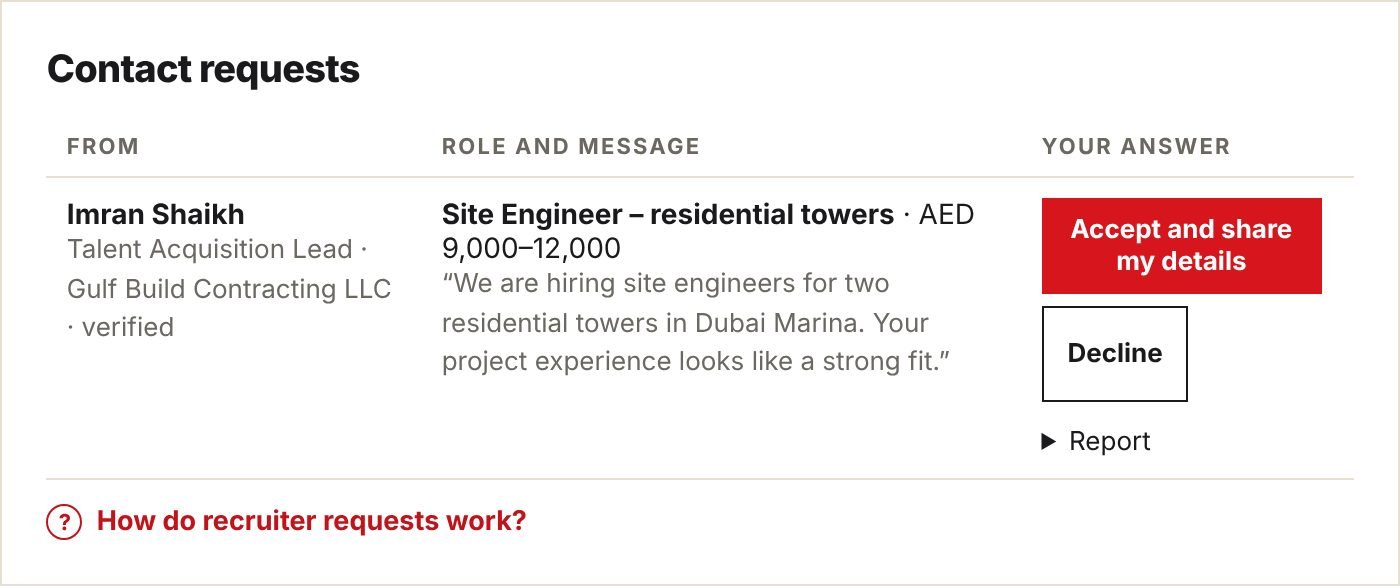
- You see who is asking: their name, job title and company, and that our team verified them.
- Read the role and the message. Take your time; a request stays open for 14 days.
2Accept or decline
- Accept and share my details: the recruiter sees your email and phone, and we email you their email address so you can write first if you like.
- Decline: nothing is shared. The recruiter can’t send you another request.
- No answer: after 14 days the request closes by itself and nothing is shared.
Tip. Not looking right now, but interested later? Accept, and tell the recruiter by email when you would be ready. Declining is fine too; it doesn’t affect your profile.
3Choose who can reach you
Under your requests, Recruiter settings lets you decide:
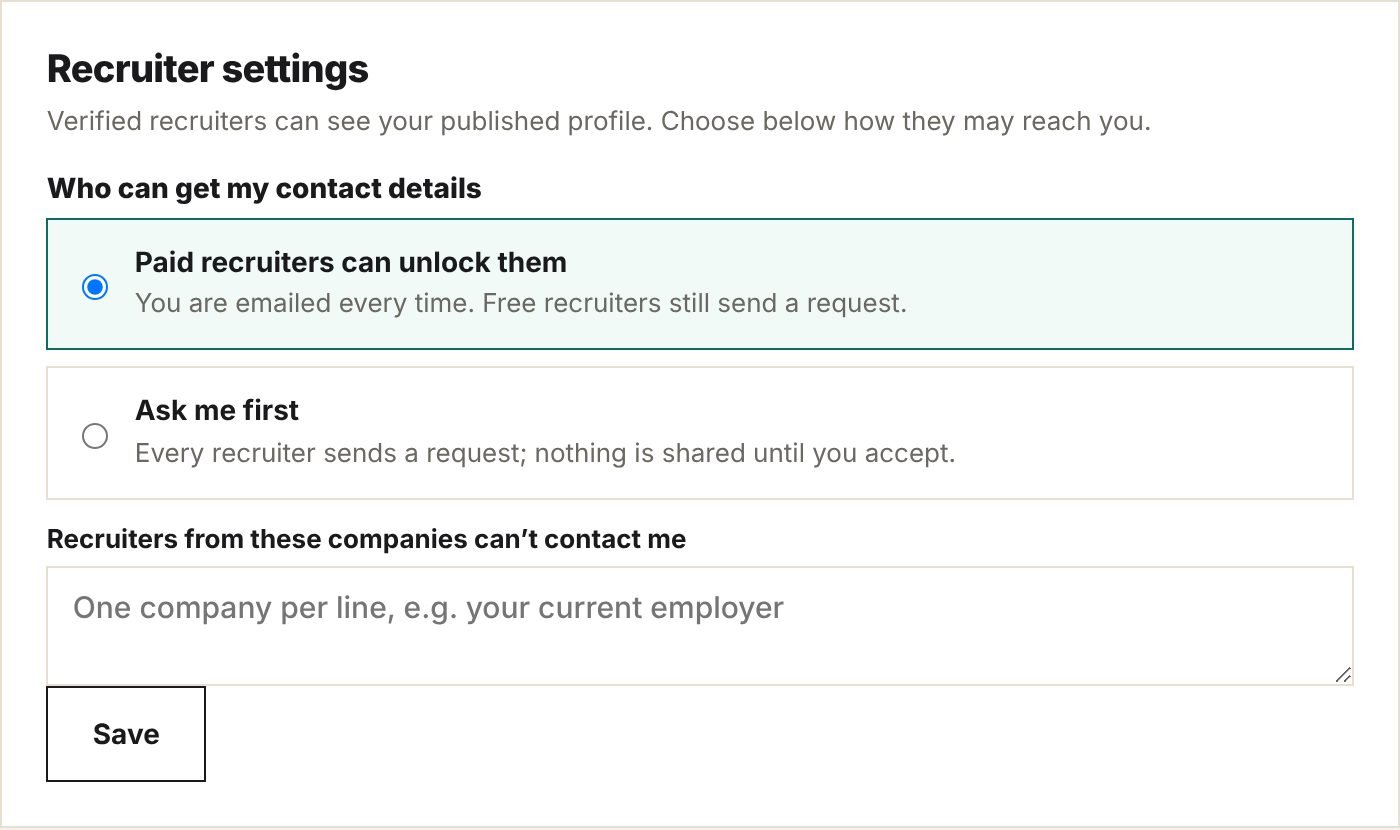
| Setting | What happens |
|---|---|
| Paid recruiters can unlock them (the default) | Recruiters on a paid plan can see your email and phone straight away. We email you every time, with who it was. Free recruiters still send a request. |
| Ask me first | Every recruiter, paid or free, sends a request. Nothing is shared until you accept. |
| Recruiters from these companies can’t contact me | Write one company per line, for example your current employer. Recruiters from those companies can’t send you requests or unlock your details. |
Click Save. Your settings stay the same when you edit your profile.
4Report a recruiter
Something wrong? Under any request, open Report, say what happened, and click Report to the team.
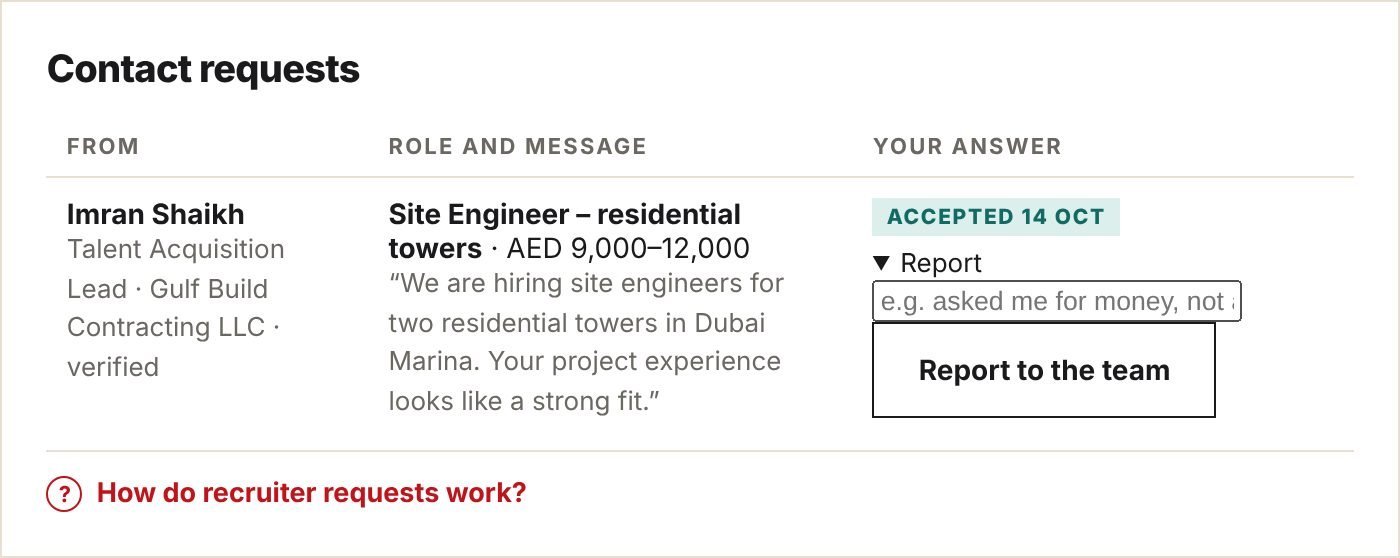
- Report anyone who asks you for money (visa, training, “processing” or placement fees), offers a job that doesn’t seem real, or keeps messaging after you said no.
- Reporting declines the request. The recruiter isn’t told who reported them.
- Our team reads every report. When several members report the same recruiter, their account is blocked automatically until we have looked.
5Stay safe
- Never pay to get a job. Real employers and recruiters don’t charge candidates.
- Don’t send your passport, Emirates ID, Iqama or bank details until you have a written offer from a company you have checked.
- Check the company: its website, its LinkedIn page, and the address on the offer letter.
- Be careful with offers that are much better than usual, or that need an answer “today”.
- Not sure? Email info@kokaniconnect.com before you reply. We are happy to look.
6Questions
- Can recruiters see my profile?
- Verified recruiters can read your published profile, like other visitors. Your email and phone are never shown on it unless you shared them through an accepted request or allowed paid unlocks.
- Who unlocked my details?
- We email you every time a paid recruiter unlocks them, with their name and company.
- I accepted by mistake.
- Email info@kokaniconnect.com. We can’t take back details the recruiter already received, but we can ask them to delete them and, if needed, block the account.
- How do I stop all recruiter contact?
- Choose Ask me first and decline requests you don’t want. To remove your profile completely, use Delete my CV and profile on My profile.
See also the Privacy policy. Questions? Email info@kokaniconnect.com.